Pixel Brite · Music
A music player for lossless albums and live recordings.
Pixel Brite streams music at its original quality, plays albums without gaps, organizes live concerts by show, and sends music to speakers around the home.

Adaptive+
Start at original quality and adapt when the connection slows.
Adaptive+ starts each song at its original quality, including lossless and hi-res. If the connection slows, it switches to a lower bitrate so the music keeps playing. When the connection recovers, it goes back to the original quality.
- Strong connectionOriginal quality
- Connection slowsLower bitrate
- Connection recoversOriginal quality
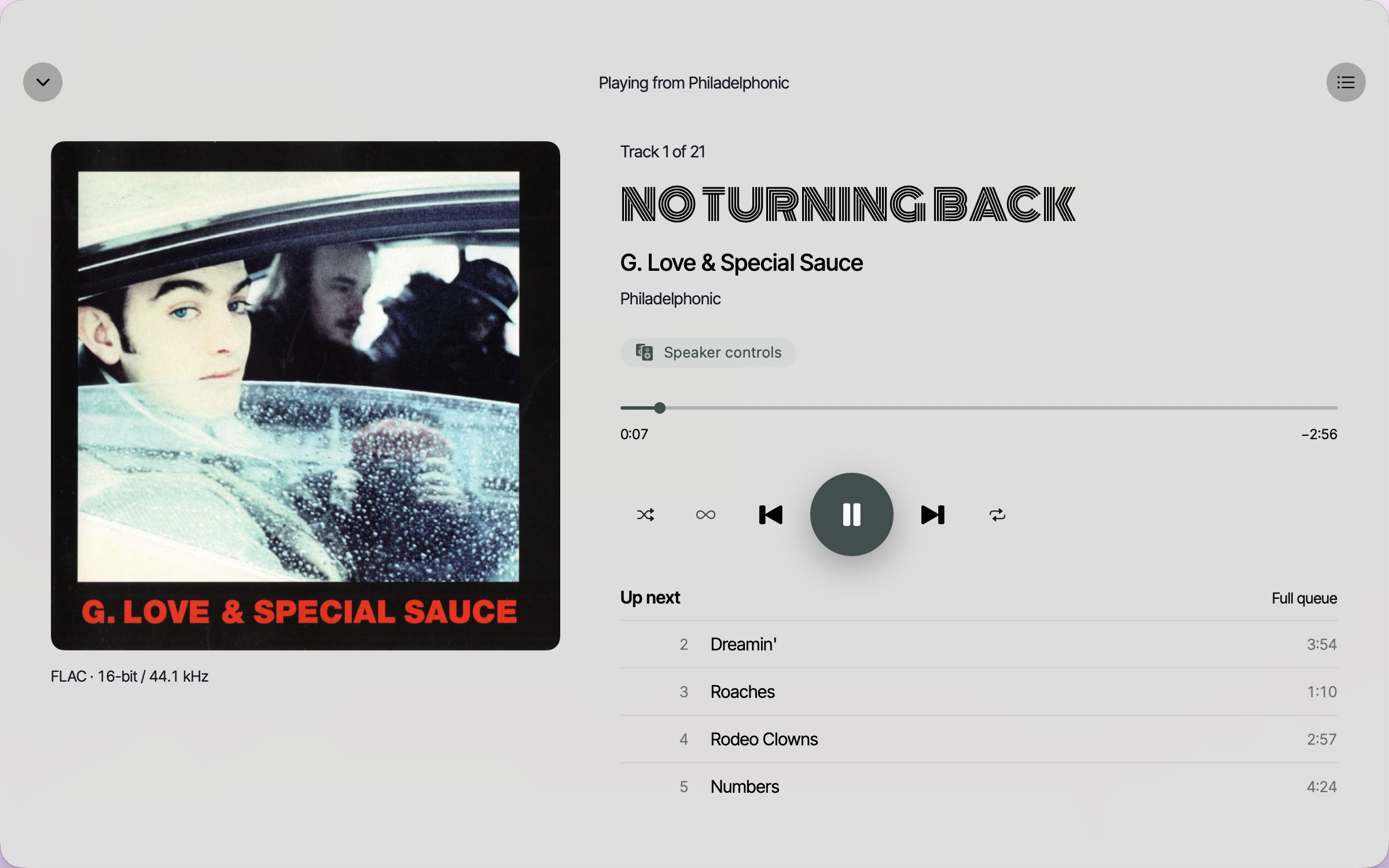
Choose separate settings for Wi-Fi and cellular. Now Playing shows the quality you are hearing, such as FLAC · 16-bit / 44.1 kHz.
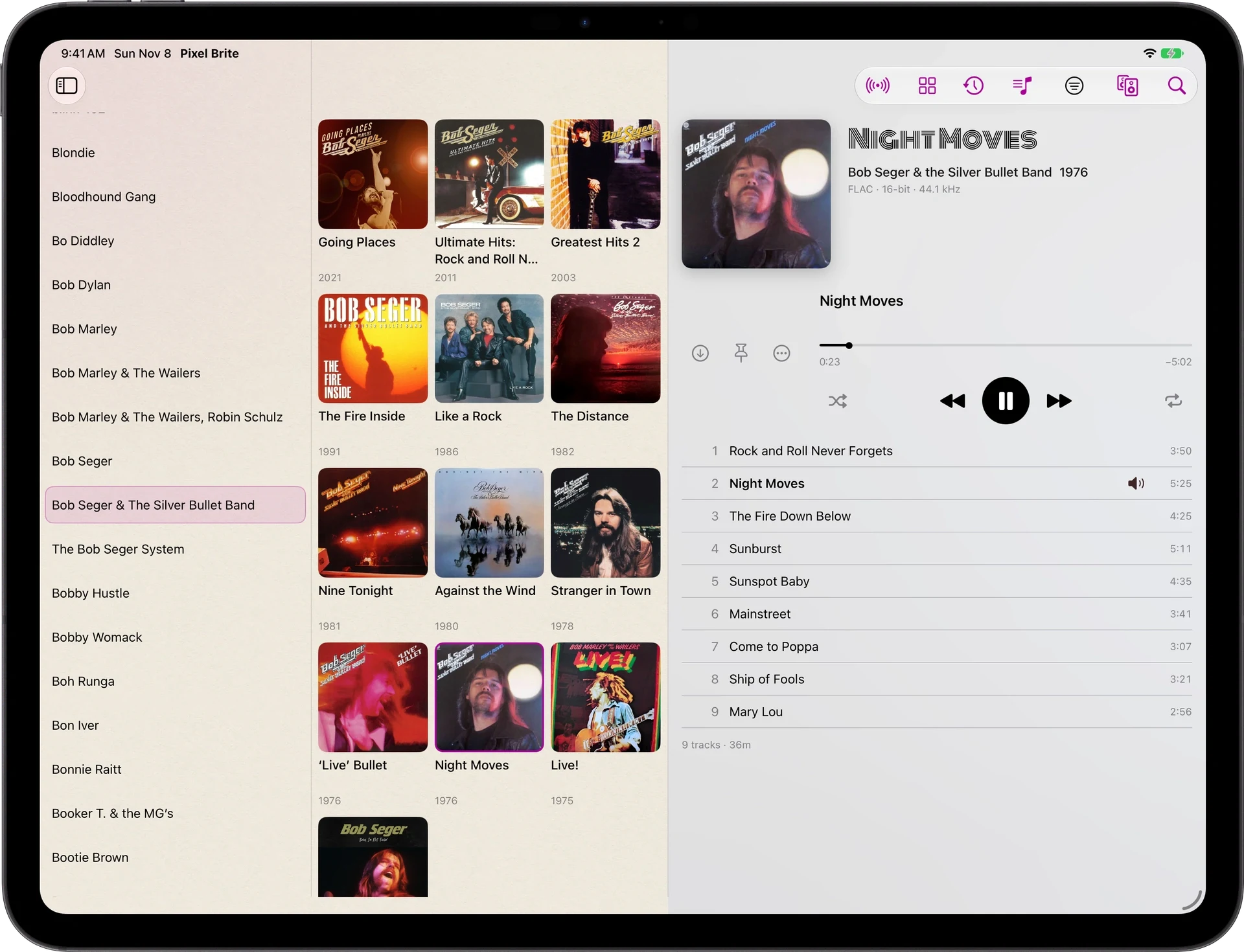
Browse by artist and album.
Find an artist, open an album and start from any song. On iPad and Mac, artists, albums and songs appear side by side, so you can move between them without going back.
Classical and soundtracks
Classical music and soundtracks have their own sections, separate from the main artist list.
Recent listening
Recently Played, Artists in Rotation and Songs in Rotation show what you have been playing lately.
Multi-disc albums
Albums with more than one disc show the number of discs. Each song is numbered by disc and track, such as 2.3.
Choose what plays next.
In the Apple apps, choose Play Next to play a song or album right after the current song, or Add to Queue to play it at the end. You can move songs up or down the queue, remove them, or clear everything after the current song. Save Queue as Playlist keeps the order for later.
Music keeps playing when the screen is locked or you switch to another app. You can play, pause and skip from the lock screen, Control Center or the keyboard’s media keys.
Gapless playback
Live albums and albums with continuous tracks play without silence between songs.
Playlists
Add a song to a playlist from its menu, or create a new playlist.
Downloads
Download songs to play without an internet connection. They appear in Downloads on iPhone, iPad, Mac and Apple TV.
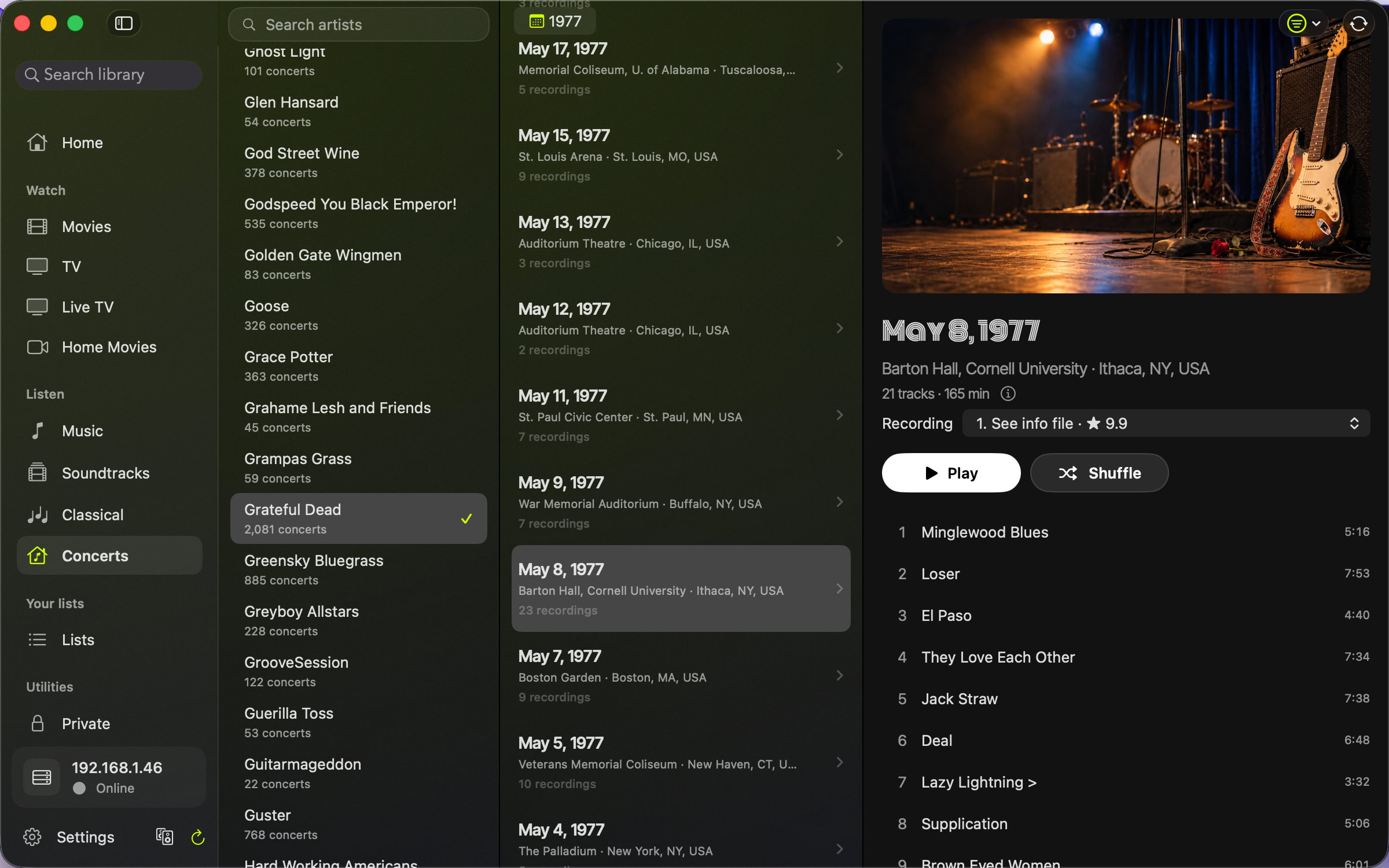
Find live concert recordings by artist and date.
Concerts lists each artist’s shows by year. Open a show to see the setlist, including the encore, and read the notes about the recording. If a show has more than one recording, such as a soundboard and an audience recording, use Choose Recording to switch between them.
Some recordings are much quieter or louder than others. Recording gain raises a recording’s volume by up to 18 dB or lowers it by up to 12 dB, and Pixel Brite remembers the setting for that recording. Concerts is also in the web player.
Turn any device, such as an old phone, into your audio receiver.
It works like an AirPort Express: connect it to your stereo or speakers and control it remotely from any other device. Pixel Satellite is built into the Pixel Brite apps for iPhone, iPad, Mac and Apple TV, so any of them can be the receiver.
To send it music, open Now Playing, tap the output and choose the device from the list. The song continues from the same point with the whole queue, and it keeps playing even if the device you started from is locked, asleep or out of range. Another Pixel Brite device can choose Join to take control.
You can also play to Google Cast, AirPlay and Bluetooth devices.
Pixel SatelliteKlipsch controls that just work.
The stock app is nearly unusable. Pixel Brite is fast, simple, and works.
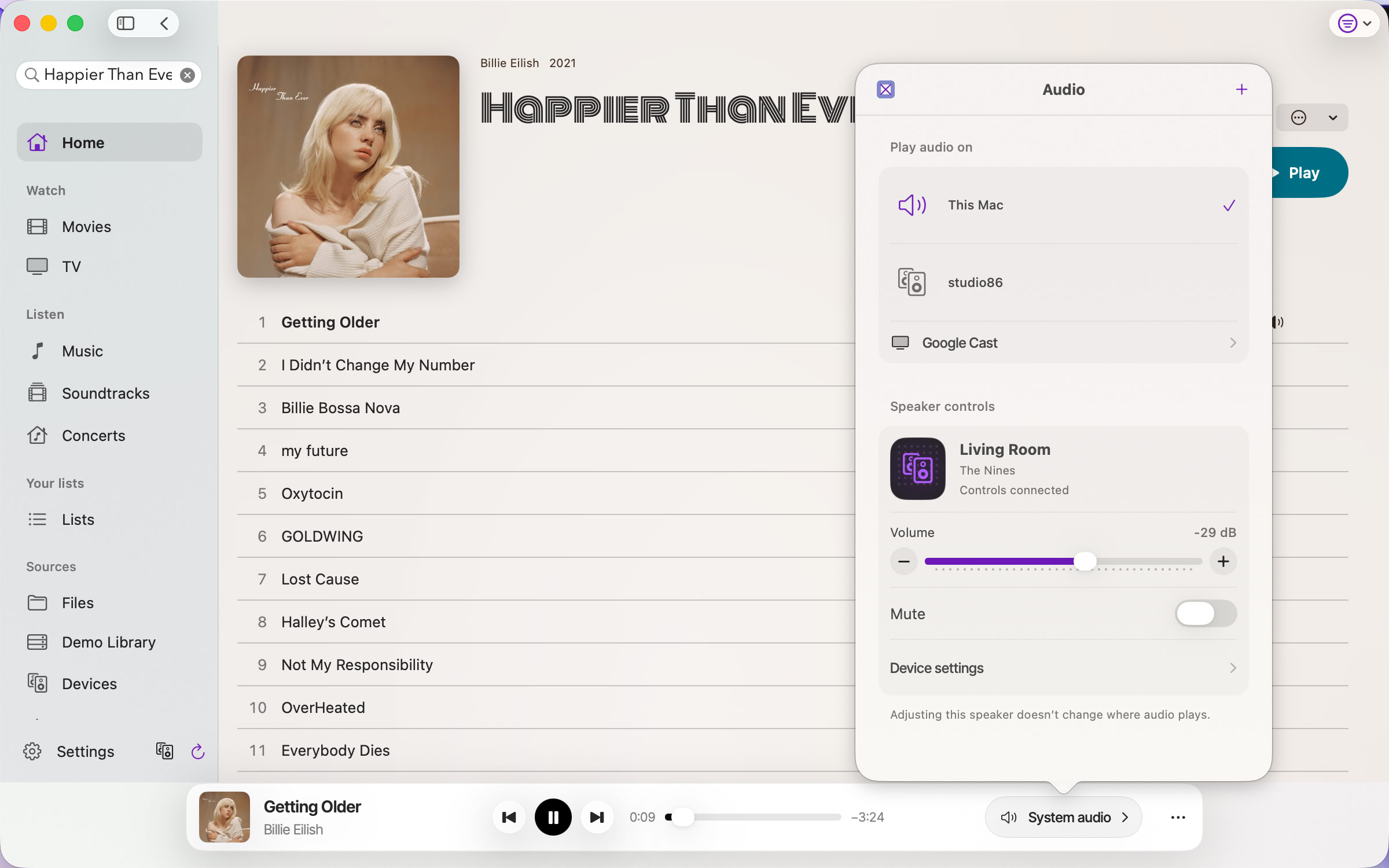
Klipsch controls are built into Pixel Brite on iPhone, iPad and Mac. Open the Audio sheet to choose where music plays. Below that, Speaker controls set the speaker’s volume or mute it, without changing where music plays.
Device settings let you choose the input and adjust bass, midrange and treble. Models that support them also have Dynamic bass, Night mode and Dialogue settings. Use Add device to set up a nearby speaker.
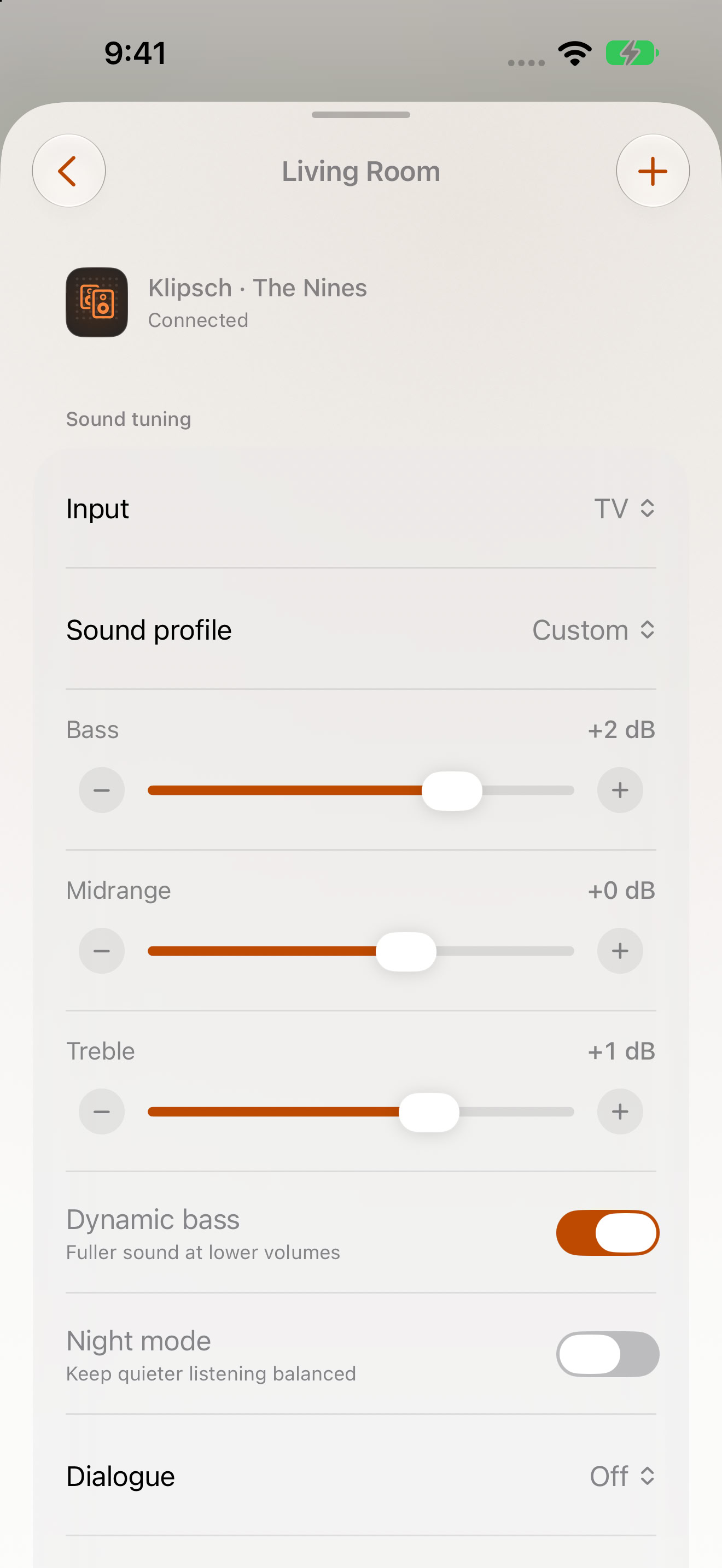
Supported models: The Fives, The Sevens, The Nines, The Fives McLaren, The Nines McLaren Edition, The One Plus, The Three Plus, Austin, Nashville, Detroit, and Cinema 600. Controls vary by model.
Find more music like it.
Choose Play Similar Music on a song or Play Similar Albums on an album to start a queue of similar music. Create Playlist from Songs makes a playlist from songs you pick, and you can edit it before saving. With Keep the Music Going on, similar music plays when the queue ends.
Explore ShostakovichAsk Siri for music.
Ask Siri on iPhone, iPad or in CarPlay for an artist, album, song or playlist in your library. When Siri mishears, Apple Intelligence picks the intended title.
Explore SiriListen to internet radio.
In the Apple apps, open a radio station by its stream address or import a playlist file of stations (M3U). Save the stations you want to play again.
Play in a browser.
The web player plays music from Media Server in desktop and phone browsers. It includes Adaptive+, gapless playback and Concerts.
See the web player